
Your coding agents, reachable from anywhere
on your Mac, a Linux server, or your iPhone
Run Claude Code, Codex, opencode, GitHub Copilot CLI, pi, and Amp on any of your machines. Check on them from your Mac or iPhone, and let them work together.
harbor-web / checkout-copy
- claudewaiting on you
atlas-api / retry-backoff
- codexworking
atlas-api / rate-limit-tests
- opencodedone

Run agents on any of your machines
Pair another Mac or a Linux server. Each machine runs the Spaces service and shows up as its own section in the sidebar, with its projects, workspaces, terminals, and agents, all reachable from your Mac or iPhone.
Your Mac or iPhone
This Mac
Another Mac
Linux server
Sessions outlive your laptop
Like tmux, for everything a session runs.
Terminals and coding agents run on the Spaces service on that machine, not on your laptop. Kick off a build or an agent on a remote machine, close the lid, and it keeps running. Reattach later from your Mac or iPhone, right where it left off.
Read the articleiPhone and iPad
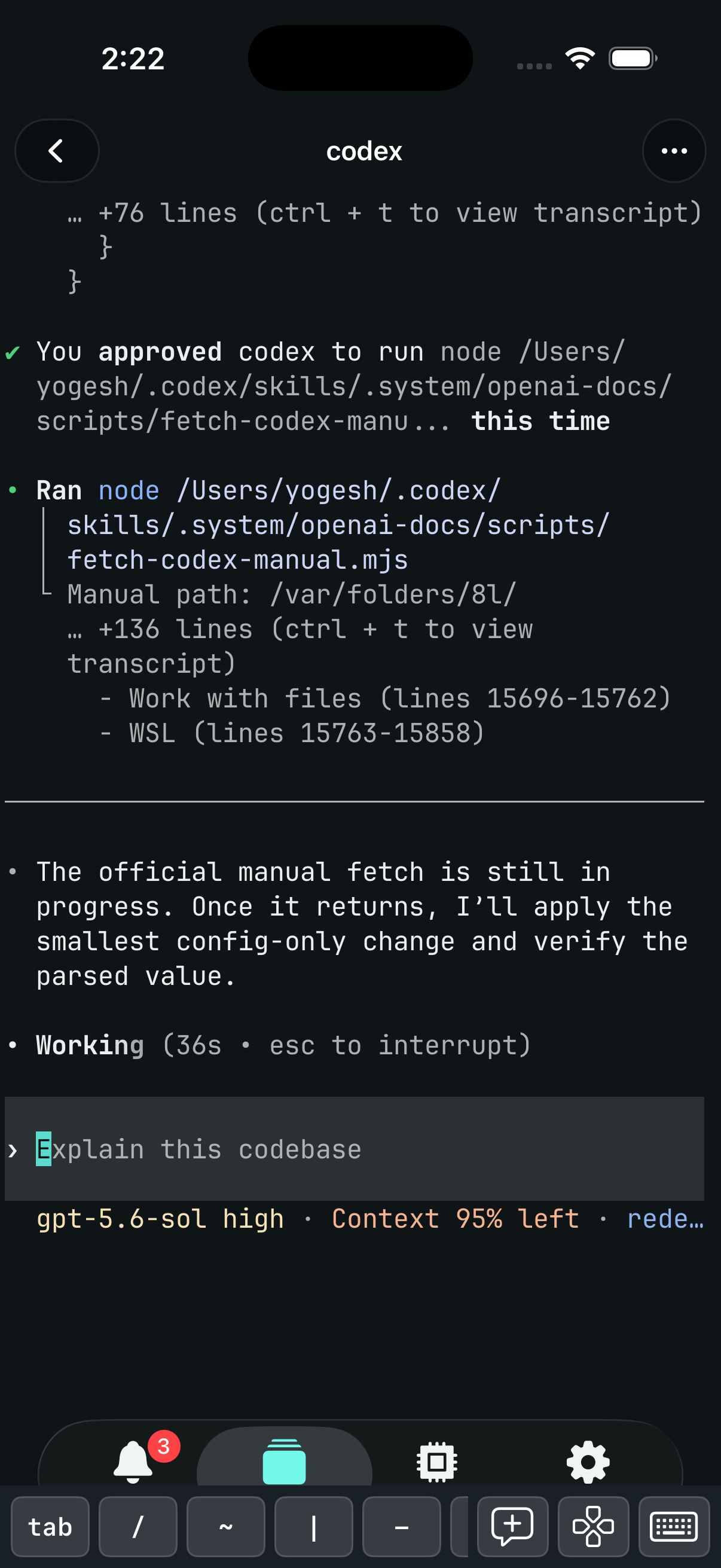
A full client on your iPhone
Pair it with a QR code and it connects straight to your Mac or Linux server, even with the Mac app closed. See which agent is waiting, answer it in the same terminal, and restart processes.
Read the iOS docsRead the article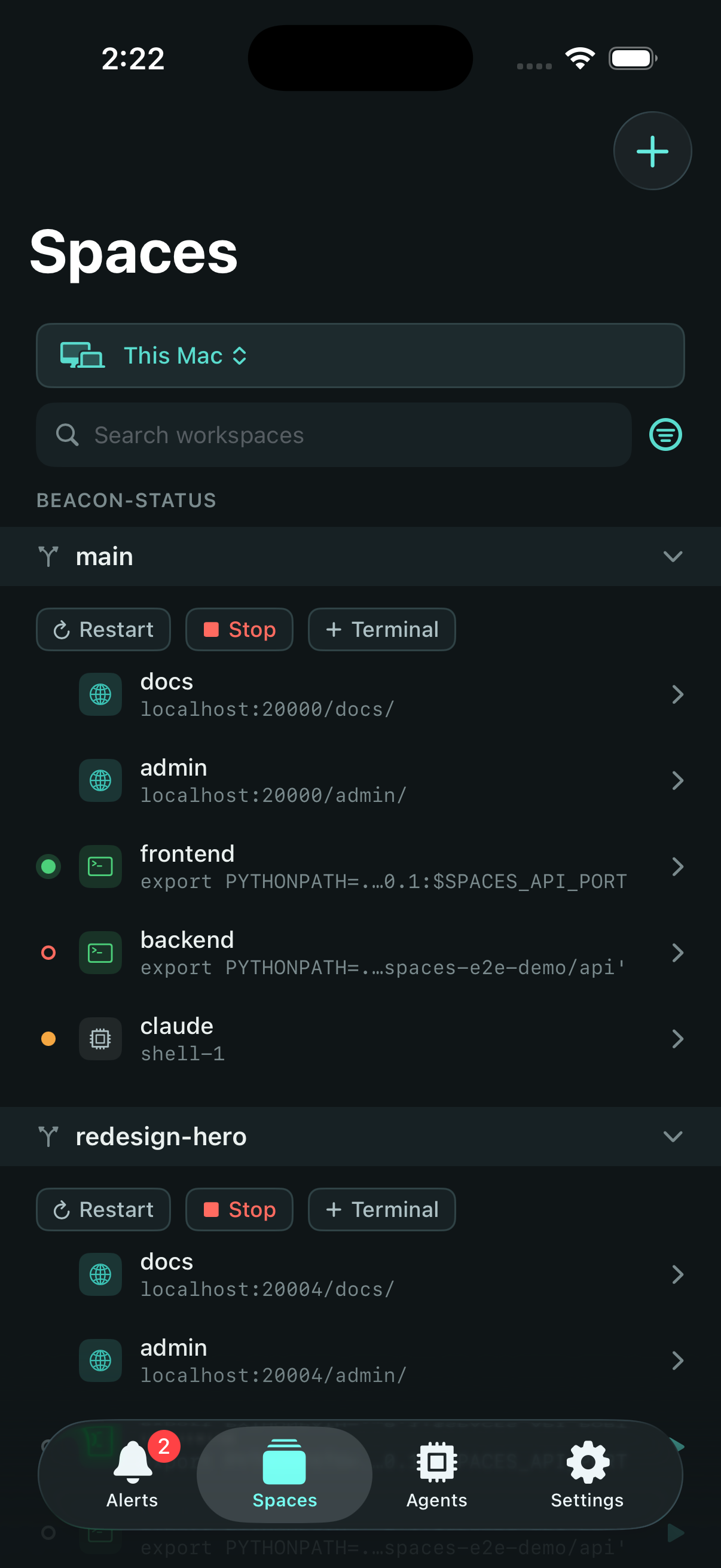
Let one agent run the others
Use the Spaces MCP to put one agent in front of everything you have going: a fix in this repo, a feature on that branch, an experiment on the Linux server. It spawns Claude Code, Codex, opencode, Copilot, pi, or Amp as children and hears back when one finishes or needs you. Point it at the orchestration guide and it follows your workflow.
You
prompts ↓ · results ↑
Orchestrator agent
Local
claudeopus
Redesign settings UI
opencode
Research auth libraries
Remote VM
codexgpt-5.6-sol
Refactor sync backend
Cross-harness · cross-model · cross-device
The right agent for every piece of work.
- Mix harnesses. Claude Code, Codex, opencode, Copilot, pi, and Amp: any of them can lead, any can be a child.
- Mix models. Each agent runs whatever model its harness supports, so you pick the right brain for each job.
- Mix machines. Children run wherever you have them: a Linux server does the heavy lifting while you drive from your Mac.
Every child is a real terminal in the app. Alerts surface whoever needs you, and one shortcut jumps you to any agent's pane.
Read the orchestration guideRead the articlePut agents on a schedule
An automation starts any agent with a prompt, or runs a script, in one of your workspaces, on demand or on a schedule. It runs on the machine it belongs to, your Mac or a Linux server, even while the Spaces app is closed.
Agents or scripts
Give an agent a standing task, like a nightly dependency check, or run a shell script at the workspace root.
Runs you can replay
Watch a run live, or replay its terminal later. A finished agent's session stays open for you to review.
Overlaps and missed runs
Decide whether a run that fires while the last one is still going is skipped, queued, or started anyway, and whether runs missed while the machine was off catch up.
From your iPhone
Run one now, cancel a run, open its terminal, or pick the time of its next run from the iPhone app.
Know which agent needs you, and jump straight to it
Run agents across a dozen workspaces and it's easy to lose track of who's waiting. Each agent reports working, waiting on you, or done. Alerts gathers the ones that need you into a single list, so you see what's stuck or finished at a glance and jump to its terminal or workspace with a keystroke.
One list, every agent
Open Alerts, jump to whoever needs you.
Press ⌘⌥A in Spaces to open Alerts. Agents waiting on you clear the moment they move again, and finished agents stay until you dismiss them, so the list is always exactly what needs your attention. Select one to focus its terminal, or jump to its workspace to see everything around it.
One workspace per task. Open, switch, and close as a unit.
Every agent above runs inside a workspace. A workspace is one feature, branch, or experiment with its own directory, named services on stable URLs, processes, browser sessions, and coding-agent terminals. Starting it launches every configured process and tracks every window. Stopping it shuts everything down. Starting it again brings the configured processes back.
- 01
Project
Point Spaces at a repo on your Mac or a remote machine. Define your setup script, named services, browser URLs, and the processes you run. Do this once.
- 02
Workspace
Create a workspace for each feature, branch, or experiment. Each one gets its own directory, services, stable per-workspace URLs, env, and processes, isolated from the rest. Create as many as you need.
- 03
Run
Start the workspace and every configured process comes up. Browser sessions open when you focus them. Stop it and everything shuts down together.
One localhost, one cookie jar, every branch colliding
Three worktrees, one localhost: the ports collide, and since browsers scope cookies to hostname (not port), logging into one logs you into all three. Spaces routes each workspace through its own hostname, so every branch gets its own port and its own cookie jar.
Plain localhost
Port conflicts
Every checkout of the same app wants port 3000. You end up hand-assigning ports per branch, editing .env files, and restarting servers just to run two at once.
Shared cookie sessions
Cookies aren't scoped by port, so localhost:3000 and localhost:3001 can share cookie-based sessions. Log in on one, and the other can pick up the same session.
Spaces with a reverse proxy
One hostname per workspace
Declare a named service once and every workspace reaches it at a stable URL like web.my-branch.localhost:7391, routed by a bundled reverse proxy, no manual port assignment, ever.
Isolated sessions by design
Different hostnames mean different cookie jars and local storage. Stay logged into three branches at once, side by side, with no incognito tabs.
Built for the keyboard
Context switching is a keystroke, not a window hunt. Focus any session (browser or terminal) in the active workspace, cycle through one workspace, your alerts, or your agents to stay in flow, or jump to any window of any workspace from the global command palette, all without lifting your hands off the keyboard. Spaces' own shortcuts are configurable.
⌘1–0focus⌘⌥]cycle⌘⌥-command palette
Features
- 01
A worktree per branch
Every workspace in a Git project is a git worktree on its own branch, sharing the project's one clone, so parallel feature work never collides. Every device also has a home workspace, `~`, for terminals that belong to no project.
- 02
Organize work into logical workspaces
Every feature, branch, or experiment becomes a workspace with its own terminals, tabs, editors, and agents. Switch between them instantly.
- 03
Stable per-workspace URLs
Declare named services and reach each one at a stable, predictable URL like http://web.my-branch.localhost:7391, served by a bundled reverse proxy. Run three instances of your app side by side, isolated, no port conflicts, no `.env` edits.
- 04
Jump to any workspace
A global command palette pulls up any window instantly: choose a window and it snaps into focus right where you left it.
- 05
Cycle through what matters
Step through one workspace's windows, your alerts, every agent, or every open session with one pair of shortcuts, and switch what you cycle through with another.
- 06
Agent briefs
A coding agent can keep a short brief beside its terminal: what it is doing, questions for you, and its task list. Read it on your Mac or iPhone without scrolling back through the transcript.
- 07
Launch and teardown on demand
Stop a workspace and Spaces shuts down its processes and closes its terminals and browser tabs. Start it again and its configured processes come back; browser sessions reopen when you focus them.
- 08
Native macOS app, not Electron
Built with Swift and AppKit, not Electron, so the interface stays fast and out of your way.
- 09
Terminals built on libghostty
Terminal sessions are powered by libghostty, the engine behind the Ghostty terminal: fast, GPU-accelerated rendering that keeps up with the heaviest output.
FAQ
Common questions about setup, tools, and the app. Still stuck? Open an issue on GitHub.
How much does it cost?
What are the system requirements?
- macOS 14 Sonoma or later
- Google Chrome, used for browser sessions
- A Linux server (Ubuntu, Debian, Fedora, or AlmaLinux) with systemd
- iOS 17 or later for the iPhone and iPad app